Is Snapchat Safe? The Truth Every Parent Needs to Know in 2025
Is Snapchat safe for kids? Learn the risks, hidden dangers, and essential safety tips every parent needs to protect their child online.
The Hidden Dangers of Snapchat Every Parent Should Know
Snapchat is one of the most popular social apps among children and teenagers, but also one of the most misunderstood by parents. With over 460 million daily active users worldwide, Snapchat has become a central part of how young people communicate, socialise, and express themselves.
But there’s one question nearly every parent asks:
Is Snapchat safe for my child?
The honest answer is… not entirely.
Snapchat can be fun, creative, and social, but many of its features were never designed with young children in mind. And without guidance, kids can quickly find themselves in situations they’re not emotionally prepared to handle.
This article breaks down the real dangers of Snapchat, why kids love it so much, and what parents can do to keep their children safe and confident online.
Why Children Love Snapchat
Before talking about safety, it helps to understand why Snapchat is so appealing:
- Fun filters, lenses, and Bitmojis
- Disappearing messages that feel “private”
- Streaks that reward daily communication
- Private stories shared with select friends
- A more casual, less polished vibe than Instagram or TikTok
For many children, Snapchat feels like a digital playground, a place to belong, be silly, and stay connected. And that emotional pull is powerful.
But with that comes hidden risks.
So… Is Snapchat Safe for Kids?
Not for younger children, and only with strong guidance for teens.
Snapchat includes several features that can put kids at risk, especially when they don’t fully understand the consequences of their choices.
If you ask our Safety Assistant, it will tell you that Snapchat includes several features that can put children at real risk, especially when they don’t fully understand the consequences of their choices.
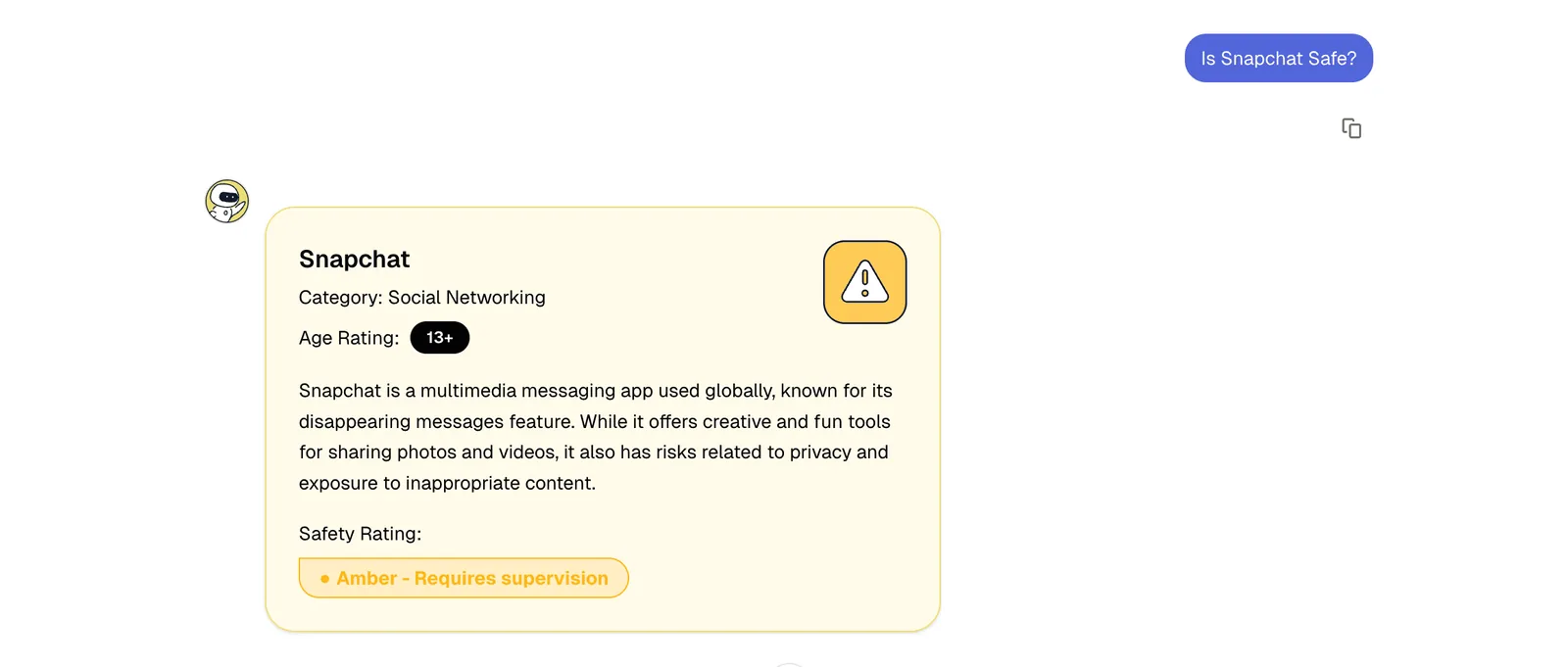
Here are the dangers broken down in more detail that every parent needs to know.
1. Disappearing Messages Create a False Sense of Security
Snapchat’s biggest selling point for kids is that messages “disappear.”
But disappearing messages can actually encourage risky behaviour.
Many children think:
“No one will ever see this again.”
In reality, snaps can be:
- Screenshotted
- Screen-recorded
- Saved without their knowledge
- Captured on another device
- Stored using third-party apps
This can lead to impulsive posting, risky photos, or conversations your child may later regret.
2. Snap Map Shares Your Child’s Exact Location
Snap Map allows friends, and sometimes strangers — to see a child’s precise, live location unless Ghost Mode is turned on.
This can expose:
- Home and school locations
- Daily travel routes
- Real-time whereabouts
- Social exclusion (“Why weren’t you invited?”)
For younger users, this level of visibility is far too powerful and potentially unsafe.
3. Streaks Create Social and Emotional Pressure
Snapchat streaks reward kids for sending messages daily — and that pressure is intense.
This can lead to:
- Anxiety about losing streaks
- Constant checking
- Screen-time battles
- Feeling responsible for keeping friends happy
Streaks are engineered to be addictive, and children often feel trapped by them.
4. “My Eyes Only” – A Hidden Folder Parents Rarely Know About
“My Eyes Only” is a password-protected section where teens can hide photos and videos.
It’s commonly used for:
- Private photos
- Screenshots
- Sensitive content
- Images they don’t want parents to see
This level of secrecy can be worrying, especially for younger teens.
5. Risks of Sexting and Image Misuse
Snapchat is one of the most common platforms used for teen sexting because the app creates the illusion of privacy.
But disappearing messages do not protect children.
Images can be:
- Shared
- Saved
- Used for blackmail (“sextortion”)
- Circulated far beyond their control
Children often underestimate how quickly a private snap can spread.
6. Bullying Through Snaps, Group Chats, and Private Stories
Snapchat can make bullying more subtle, and harder for parents to detect.
Examples include:
- Excluding someone from a private story
- Sending disappearing insults
- Group chat pile-ons
- Sharing unflattering photos
Because messages disappear, there’s often no evidence for parents or schools to act on.
7. Stranger Contact Through Quick Add
Snapchat’s “Quick Add” feature encourages children to connect with people they don’t actually know.
Strangers can appear based on:
- Mutual friends
- Contact lists
- Community connections
This makes it far too easy for unknown users to message your child.
8. Weak Age Verification
Snapchat’s minimum age is 13 — but the system is easy to bypass.
A child only needs to type in a different birthday, and they gain full access.
No ID, no check, no barrier.
9. Snapchat My AI A Growing Concern for Parents
Snapchat’s built-in AI chatbot, “My AI,” encourages children to talk privately about emotions, thoughts, and personal issues.
This raises concerns about:
- Children treating AI like a “friend”
- Receiving inaccurate or inappropriate advice
- Developing unhealthy dependence
Young users may not fully understand the boundaries of AI interaction.
10. Ongoing Safety Concerns and Allegations
Snapchat has faced criticism for:
- Exposing minors to explicit content
- Allowing strangers to contact teens
- Slow removal of harmful accounts
- Weak moderation of group chats
- Features that may enable grooming
While the platform continues to improve, vulnerabilities remain — especially for younger users.
Is Snapchat Safe for Kids Under 13?
No - it’s not recommended.
The app’s features are simply not suitable for younger children.
Is Snapchat Safe for Teenagers?
It can be - but only with:
- Strong privacy settings
- Open communication
- Healthy digital routines
- Clear boundaries
- Guidance from parents
This is where the Young Minds App supports families: by helping children build responsible digital habits without turning parents into “police officers.”
How Parents Can Make Snapchat Safer
Here are practical steps to reduce risks:
1. Have regular, calm conversations
Ask open-ended questions:
- “Who are you chatting with lately?”
- “Have you seen anything online that worried you?”
- “Do you know how to turn off Snap Map?”
Make digital talk normal, not awkward.
2. Turn off Snap Map together
Show them why location sharing can be unsafe.
3. Teach the Screenshot Rule
If they wouldn’t say or show it in front of you, a teacher, or a friend’s parent — they shouldn’t send it.
4. Review privacy settings side by side
Do it as a team, not secretly.
5. Set healthy digital routines
Tools like Young Minds’ Study Mode, Wind Down Mode, and Bedtime Mode help reduce compulsive checking.
6. Reward honesty
If something goes wrong, your child should feel safe coming to you — not scared of getting in trouble.
How Young Minds App Supports Safer Digital Habits
At Young Minds, we believe digital safety isn’t about fear or strict control — it’s about readiness, understanding, and growing good habits from day one.
We help families by:
- Supporting healthy routines through guided modes
- Encouraging open parent–child communication
- Providing visibility without creating conflict
- Helping children build lifelong digital judgment
Snapchat doesn’t have to be dangerous — but children need guidance, structure, and consistent support to use it safely.
Snapchat is not inherently safe for young children, and it carries real risks for teens, but with the right guidance, it can be used more safely.
Digital safety isn’t just about blocking apps or banning platforms.
It’s about preparing your child to navigate the online world confidently, thoughtfully, and responsibly.
And that’s exactly what Young Minds App is here to support.
Parents also ask:
What Is the Snapchat Home Safety Alert?
The Snapchat Home Safety Alert is a notification that appears when Snapchat detects unusual login activity on an account — for example, if someone tries to sign in from a different device, a new location, or an unknown browser.
For parents, this alert is important because it can help identify:
- Someone attempting to access your child’s account
- A hacked or compromised Snapchat profile
- A child logging in on a friend’s device or sharing passwords
- Early signs of account misuse or bullying
If you or your child receive a Home Safety Alert:
- Change the account password immediately
- Make sure two-factor authentication (2FA) is turned on
- Review connected devices in the Snapchat settings
- Talk with your child calmly about what happened
It’s a good opportunity to reinforce safe password habits and the importance of keeping accounts private.
What Snapchat Safety Settings Should Parents Enable?
Snapchat offers several safety settings — but many children don’t know they exist.
Enabling the right ones can significantly reduce risks like stranger contact, location sharing, or unwanted messages.
Here are the key Snapchat safety settings every parent should check:
1. Ghost Mode (Snap Map) – ON
Prevents others from seeing your child’s real-time location.
Settings → Snap Map → Ghost Mode
2. Contact Me – Friends Only
Stops strangers from sending messages or snaps.
Settings → Privacy Controls → Contact Me → My Friends
3. View My Story – Friends Only (or Custom)
Limits who can see your child’s public or private stories.
Settings → View My Story
4. Quick Add – OFF
Prevents unknown users from appearing in your child’s “Quick Add” list.
Settings → See Me in Quick Add → Off
5. Two-Factor Authentication – ON
Provides extra protection against account hacking.
Settings → Two-Factor Authentication
6. Phone Number Linking – OFF
Stops Snapchat from suggesting your child to strangers who have their number saved.
Settings → Mobile Number → Unlink / Turn off
7. My AI Controls (Optional)
You can clear data, limit access, or remove the AI chatbot from the chat feed.
Settings → Privacy Controls → Clear My AI Data
Quick Advice for Parents
Sit with your child and review these settings together.
This builds trust, opens conversation, and teaches digital responsibility, exactly the kind of healthy digital habit that Young Minds App stands for.