Get started with Young Minds App
The Young Minds App is designed to help families grow digital habits together
- from the first device to full independence.
Create a parent account
Install app on your child’s devices
Activate Parental Supervision
1. Create a Parent account
2. Install Kids app
3. Activate  Parental Supervision
Create a Parent account
Getting started is quick and easy - simply download the YoungMinds Parent App and sign up using your email address and phone number.
Once your account is created, you’ll be ready to connect your child’s device and begin setting up safe, balanced screen time.
Install Kids app on your child’s devices
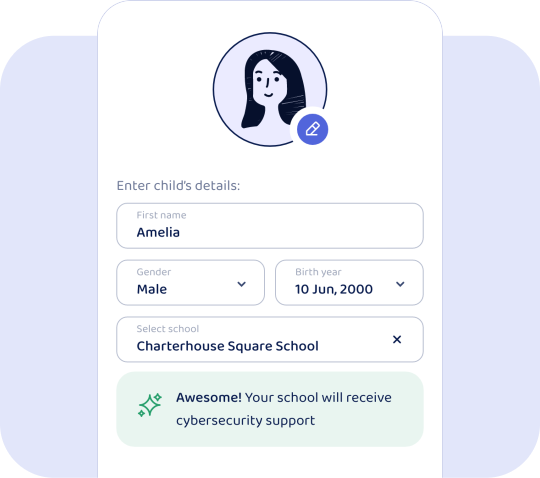
Install the Young Minds Kids App on your child’s device. Log in using the Parent Account you created in Step 1, then follow the on-screen instructions to complete the setup and configure the app for your child’s safe browsing and activity experience.
Activate  Parental Supervision
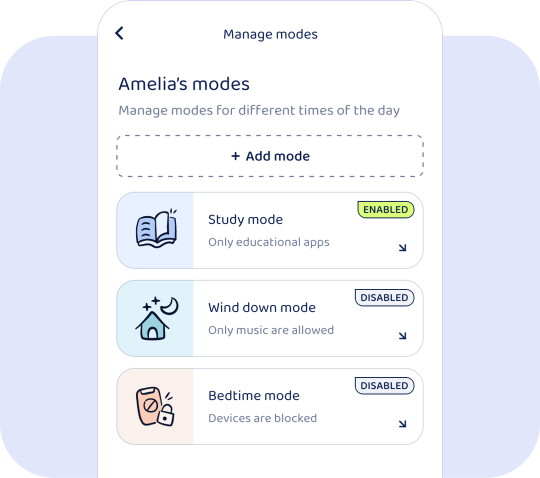
From the Young Minds Parent App, you can customise your child’s experience by selecting modes such as Study Mode, Bedtime Mode, or Custom Mode. You can also enable Web Filtering, set total device usage time, and explore many more options to help your child stay focused, safe, and balanced online.
Can’t find the answer you’re looking for?
Still have questions? Contact support
Contact us