Primary School WhatsApp Groups: A Calm Guide for Parents (Ages 9–11)
Class WhatsApp group causing drama, exclusion or late-night pings? Settings, scripts and three family rules for parents of 9–11 year olds.
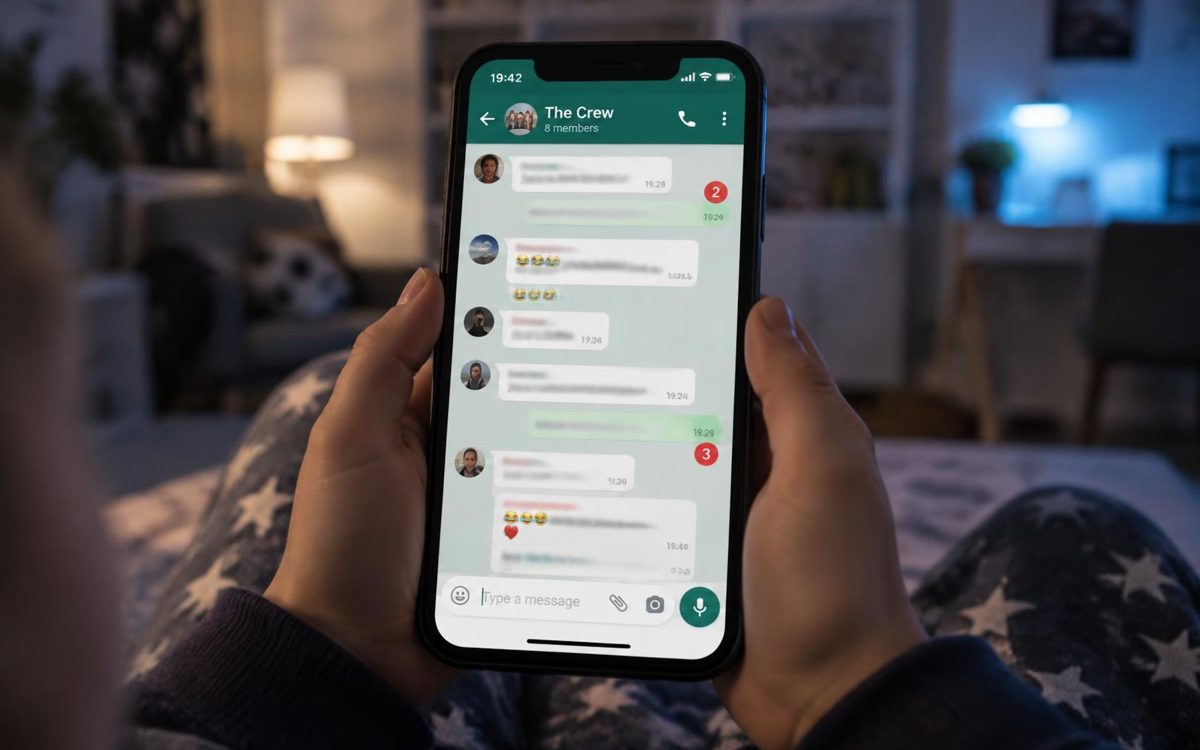
Quick answer: WhatsApp's minimum age in the UK is 13, yet many children join class group chats in Years 5 and 6. If your child is already in one, you don't need to panic or pull them out. Mute the group, turn off "anyone can add me", keep the phone out of the bedroom at night and agree a few simple rules together. Most problems come from volume, exclusion and late-night messages, not from the app itself.
The class WhatsApp group often arrives quietly. One child gets a phone, a group is made "for homework", and within a week there are 200 messages before tea. For a 9- or 10-year-old, it can feel impossible to miss any of it. This guide is for parents of children aged 9–11 who want to keep the friendships and lose the stress.
Why primary school group chats feel so intense
Group chats mix three things children this age are still learning to handle: friendship status, impulse control and evenings without an adult nearby.
- Volume: dozens of pings an hour make it hard to focus on anything else.
- Quiet exclusion: a side group is created, a child is removed, or messages go unanswered. It hurts more because everyone can see it.
- Screenshots: a careless message is copied and forwarded to another group within minutes.
- Bedtime pressure: the chat keeps going after lights out, and children worry about what they'll wake up to.
Step 1: Check the settings together (5 minutes)
| Setting | Where to find it | Why it helps |
|---|---|---|
| Who can add me to groups | Settings → Privacy → Groups → "My contacts" or "My contacts except…" | Stops strangers or older children adding your child to new groups |
| Mute the class group | Open the group → tap its name → Notifications → Mute | Messages still arrive, but there's no constant buzzing |
| Profile photo and "last seen" | Settings → Privacy | Limits what people outside their contacts can see |
| Disappearing messages off | Group info → Disappearing messages | Keeps a record if something unkind is said |
Menu names can change between updates, so follow whatever matches the screen you see.
Step 2: Use the "mute, don't leave" approach
Leaving a group can feel dramatic at this age, and other children notice. Muting is the calmer option. Your child stays in the group, checks it once at an agreed time (for example after homework), and doesn't feel on call all evening. Archive the chat too, so it stops sitting at the top of the screen.
Step 3: Give your child a script
Children often stay in a group, or join in with unkindness, because they don't know what to say. Practise a couple of lines together:
- To leave a group: "My phone's too busy, so I'm leaving this one. Message me separately!"
- When something unkind is posted: "Not cool, I'm not joining in with this."
- When they're asked why they didn't reply: "My phone goes off at 7. I'll see it tomorrow."
Having the words ready turns a social risk into something they can manage.
Step 4: Agree three family rules
- No group chats in the bedroom at night. Phones charge outside the bedroom from an agreed time.
- Never forward a screenshot of someone else. If it would upset them, it doesn't get shared.
- If something worries you, show me, and you won't be in trouble. Children hide problems when they fear losing the phone.
The third rule matters most. If telling you leads to a confiscated phone, they'll stop telling you. Read more in You Don't Need to Read Your Child's Messages.
If your child has been left out
Being removed from a group, or finding out there's a second group without them, can feel huge. Listen first and don't rush to message other parents. Ask what happened, how it felt and what they'd like to do. Often the best step is an in-person plan with one or two good friends rather than trying to get back into the group. If it keeps happening or turns into bullying, speak to the class teacher. Schools increasingly deal with group-chat issues even when they start at home.
Warning signs to watch for
- Checking the phone anxiously first thing in the morning or late at night
- Seeming upset after looking at messages, or suddenly hiding the screen
- Not wanting to go to school after a chat argument
- Being added to groups with older children or people they don't know
Should a 9- or 10-year-old be on WhatsApp at all?
Officially, no: WhatsApp's minimum age in the UK is 13. In practice, many families allow it so their child isn't left out. If you decide to allow it, treat it as a supervised stage, not full independence. It also helps to talk with other parents in the class. When a few families agree on a later start, or a group with a parent as admin, the pressure on every child drops. Our WhatsApp group chat rules for parents cover the wider family setup.
How Young Minds App helps
The hardest part is usually the evening. With Young Minds App, you set Study Mode, Wind Down and Bedtime once, and the phone follows the routine. Chats go quiet at the agreed time, so your child can honestly say "my phone switched off". The rule takes the blame, not them and not you.
FAQ
What age can you use WhatsApp in the UK?
WhatsApp's minimum age in the UK is 13.
Can I see my child's WhatsApp messages?
WhatsApp messages are end-to-end encrypted, so parental control apps can't read them. Building trust, so your child shows you when something goes wrong, works better than trying to monitor everything.
Should I make my child leave the class group?
Not usually as a first step. Muting the group and keeping the phone out of the bedroom solves most problems without social fallout.